Posted in Classroom Tech, Education Resources, Music, Student Engagement

Wake Me Up When September Ends

Check it out, I am posting a month later! (better than a year later, right?)!

Two weeks ago, I introduced my students to music centers. Remember that these children had never had a music education before last year. I wasn’t comfortable with using centers when I was still learning how to teach music but now that I have a year under my belt and my students have a rudimentary understanding of the basics, I felt centers were finally doable. Let’s take a look at some of them:

Listening Center

Hiding in the back of one of my closets was a Califone 1218AVPS-01 8 Person Stereo Listening Center with Headphones Jackbox and Carry Case:
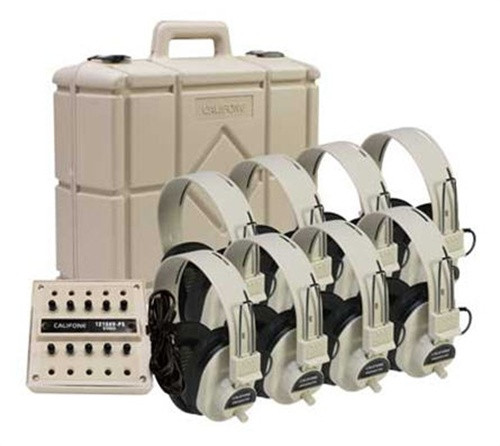
I have no idea how old this thing is. It’s somewhat yellowed compared to the picture, but each headphone was still wrapped in cellophane pouches. This became my listening center. I plopped a CD of instrumental music in the donated boombox, hooked this baby up to it, and attached 6 of the headphones. Then I included some clipboards, manila paper, and crayons. The objective was for students to draw/color what the music made them feel.

Rhythm Games

  • Rhythm Dice: I found a few sets of these tucked into the back of a drawer. To get more, or to make different sets I figure I can make my own in the future. A quick search of Teachers Pay Teachers leads to several free downloads of different centers to use with these dice.
  • Rhythm Pie: I created this resource (available on TPT) to provide a tangible manipulative for students to make the connection between fractions and note values.
  • Rhythm Race: I found this board game on TPT, and it’s a huge hit with students of all grades.

Instruments

For this station, I pulled a few bins of non-pitched percussion instruments out (maracas, castanets, guiros, and jingle bells), and let the students explore what sounds they could make with them. My two rules were that they can’t bang them on the floor, and not to hit them so hard that they break.

Quaver

This last station is where my SHARP screen is. I pulled up the interactive activity we were working on in Quaver and instructed students how to compose measures in various meters. They would then grab a set of rhythm sticks and tap out the rhythm they created. I stationed myself at this center as it gave me a good idea of who struggled with the task of reading and playing 4/4 measures made up of quarter notes and rests and barred eighth notes.

How did it go?

I’d say that on the whole, my first week of music centers went pretty well. Students have been asking when they can do centers again, so…pretty successful!

And now to take you full circle to the title of this post. Here’s one of my favorite mashups by DJ Cummerbund just because I can:

Posted in Education Resources, Music, Personal Journey

A Whirlwind of a Year

I can’t believe it’s been a year since my last post, and I apologize sincerely for waiting so long to post again. Please forgive me.

But what a year it has been! I had the chance last year to explore many new experiences, and I’ll share a few with you as I begin my second year as the Music teacher for my campus.

Let’s start out with what I started out with. A box of 30 pairs of rhythm sticks in pretty rough condition, a plastic bin of about 50 cheap plastic novelty tambourines, a small set of basic elementary handheld percussion instruments, 3 sets of preschool music kits, and that’s pretty much it.

The set of “instruments” left in the closets

Through donations, purchase orders, creativity, and a lot of schmoozing, I managed to procure more instruments. I’m still building a collection, but so far we have quite a few. Pictured below are my handmade “TicTac Maracas”, generously donated Boomwhackers, and the lovely digital piano purchased by the district. There’s also the Orff instruments behind the piano.

Perhaps the best event of the year, however, was TMEA. The Texas Music Educator Association holds its annual convention every February in San Antonio. I spent this amazing week exploring music vendors, attending clinics, and listening to some of the best student performances Texas has to offer. I even got to meet Quaver!

My students were SHOOK that I got to meet Quaver!

By the end of the school year, over 700 students gained at least a functional understanding of the foundations of music. The secondary campus band director is quite grateful that her incoming 7th graders will at least understand the concepts of rhythm, beat, and basic notation.

I’m excited to start another year, and can’t wait to introduce recorders to my older students!

And I promise I’ll try to post more often!

Posted in Classroom Tech, Education Resources, Student Engagement

Tech in the Classroom

Welcome to my inaugural post! The first topic we’re going to cover is tech in the classroom.

dancing robot
Photo by Pavel Danilyuk on Pexels.com

Some teachers hear the phrase “Use technology in your classroom” and teach as though the technology is the lesson. Unless you’re teaching a course or unit on learning how to use a particular piece technology (e.g., robotics or CTE), that’s probably not quite what your admin expects.

The challenge then becomes “How do I incorporate technology into my lesson to enhance student learning?” I will be writing a series of posts on doing just this.

To begin with, think of another tool you use in class. Maybe math manipulatives such as base 10 blocks. If you’re teaching a lesson on place value, the manipulative is not the learning objective. You could use counters, money, or base 10 blocks to teach place value, but the most useful tool to visualize it is probably going to be the blocks. This doesn’t mean you can’t use other manipulatives as well or in place of the blocks, just that they will be more effective.

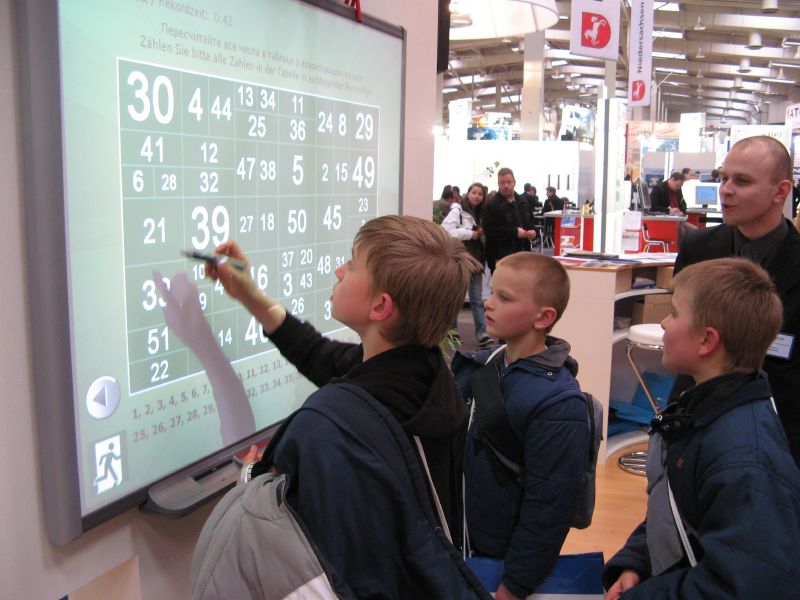
students using an interactive whiteboard at CeBit 2007
Interactive whiteboard at CeBIT 2007

The same thought process can be applied to incorporating tech in the classroom. Let’s look at the most used piece of technology you probably have available – your Smart board/projector. My campus moved from SMART boards to SHARP touchscreens a couple of years ago, but the premise is the same. The students are likely used to this device, as they have probably had one in every classroom and every grade. This is what you use to project videos, interact with, and use a document camera with. I’d never have a lesson designed for the sole purpose of using this technology just because it’s available, but I incorporate it into my lessons because it is the most efficient way of displaying information for students to see.

Think of another piece of technology that you have available in your classroom. How do you incorporate it into your lessons to make learning efficient, fun, and engaging?

Stay tuned, and I will share some more Tech in the Classroom ideas in later posts.